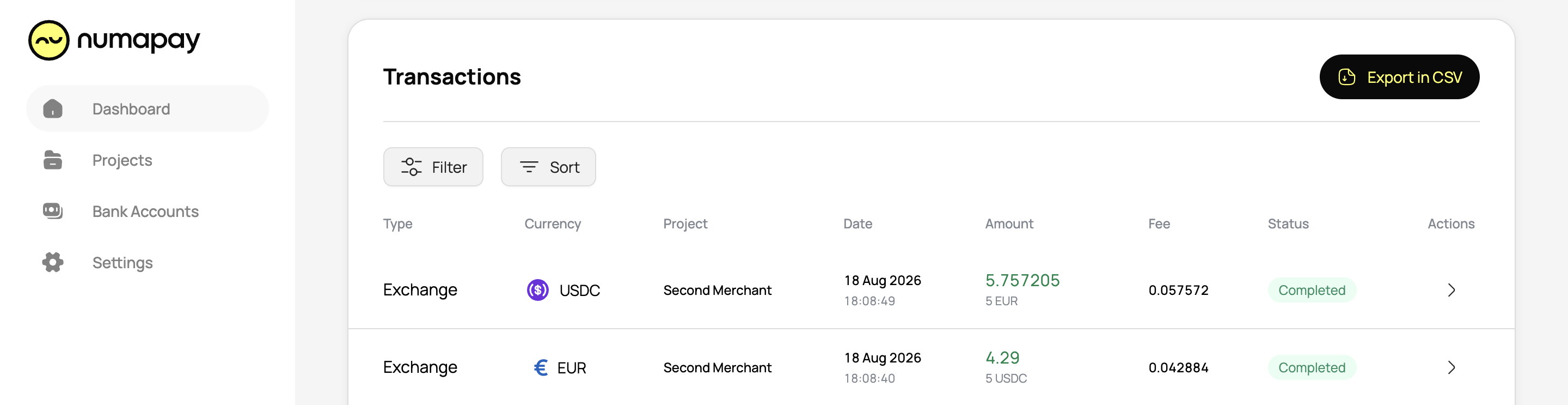
In this section, you can see all your transactions.
Columns and Data
- UID: The unique internal identifier for the transaction.
- Transaction Type: Type of transaction (e.g., deposit, withdrawal, exchange).
- Value: Amount of funds (top: the currency into which the exchange was made, bottom: the currency from which the exchange was made).
- Currency: The currency received after conversion.
- Status: The current status of the transaction (e.g., pending, completed, confirmed, failed).
- Date: The date the transaction was processed.
- View: Detailed operation information about each transaction, including Merchant, Balance before, Fee, and Balance after.
- Callback: This section will provide detailed information about callbacks, including the date of the Latest attempt, number of Attempts, Address, Status, Response code, Request method, Request headers, Request body, Response headers, and Response body.
Callback statuses
- Informational responses (100 – 199)
- Successful responses (200 – 299)
- Redirection messages (300 – 399)
- Client error responses (400 – 499)
- Server error responses (500 – 599)
Filters and sorting of transactions
You can filter transactions by merchant, type, status, currency, and TxID. Additionally, you can sort transactions for better organization.
Export transactions
By clicking the Export in CSV button, you can generate transaction statements in CSV format, including all transaction details.